The API client
with everything included.
Requests, tests, collection runner, mock servers, monitors, public docs, real-time teams and an MCP server for your AI assistant. No limits, no cloud accounts, on your own server.
docker compose up -dBring what you already have. Lose nothing.
Collections, environments, scripts, tests, examples and the full data-export ZIP.
Features
Everything you need to work with APIs
What other tools keep behind paid plans comes standard here.
Unlimited requests
REST and GraphQL, multipart file uploads, cookies, history and code snippets in 20+ languages. Paste a cURL and go.
Every auth method
Basic, Bearer, API Key, JWT, Digest, OAuth 1.0, OAuth 2.0 with PKCE, AWS SigV4, Hawk, NTLM and Akamai.
Postman-compatible scripts
The full pm.* API on the official engine: your tests and scripts run without changing a line.
Collection runner
Iterations, CSV/JSON data, flow control and live results. Run it as often as you like.
Mock servers
Simulate your API from saved examples: path params, x-mock-* headers and realistic fake data.
Monitors
Cron-scheduled runs with alerts on Slack, Discord, Telegram, email or webhook.
Public documentation
Publish a collection as a web page with examples and cURL. Credentials are hidden automatically.
Real-time teams
Roles, presence, comments, change history with restore, fork and merge.
CLI for CI
cartero run with JUnit, HTML and JSON reports. Run files or collections from your server.
Tests
Write tests the way you always have. With autocomplete.
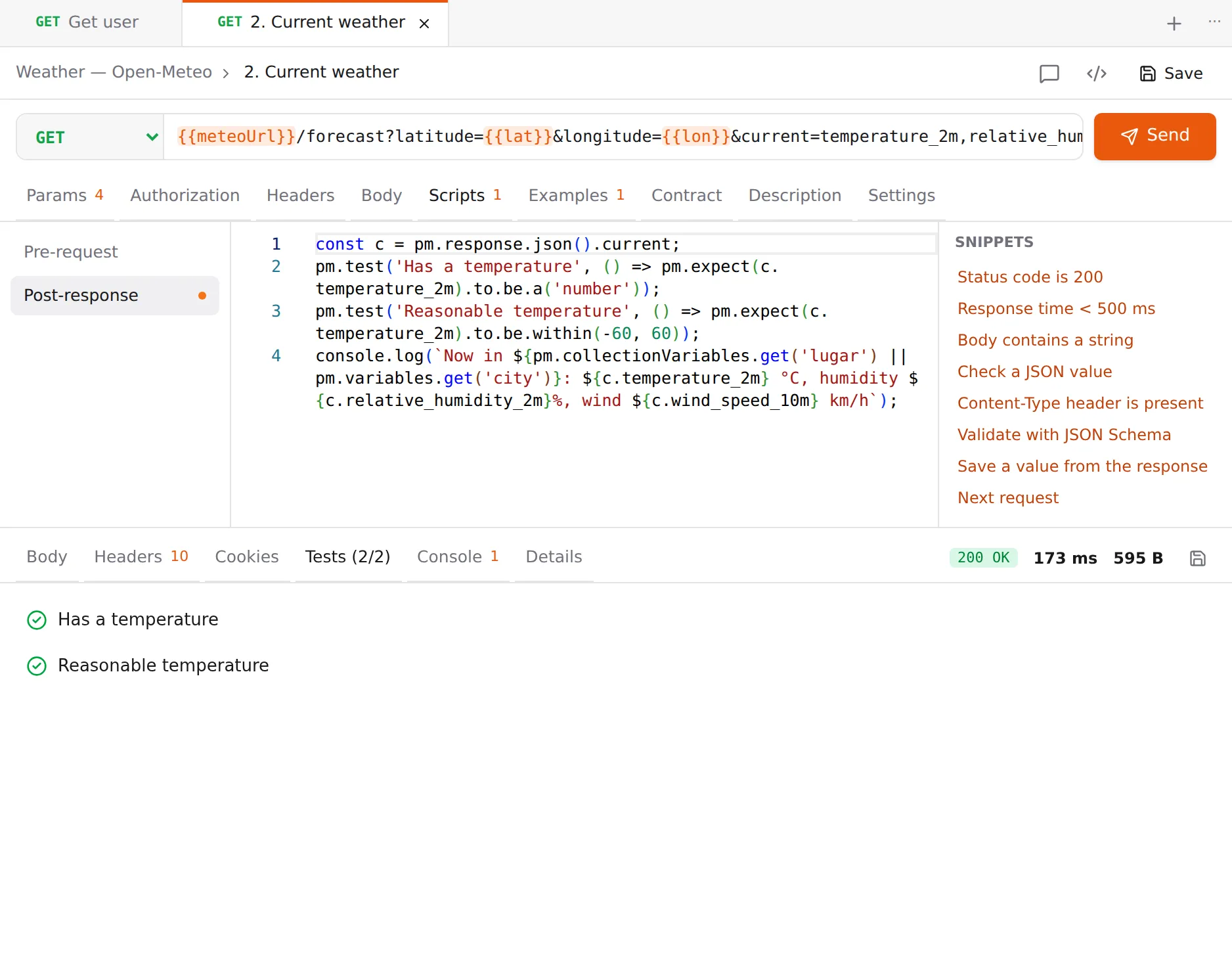
A code editor with the documented pm.* API, ready-to-insert snippets and instant results. Chain requests by saving variables from your scripts.
- pm.test, pm.expect and JSON Schema
- pm.sendRequest and setNextRequest
- Console and timing breakdown
Runner
Run whole collections, live.
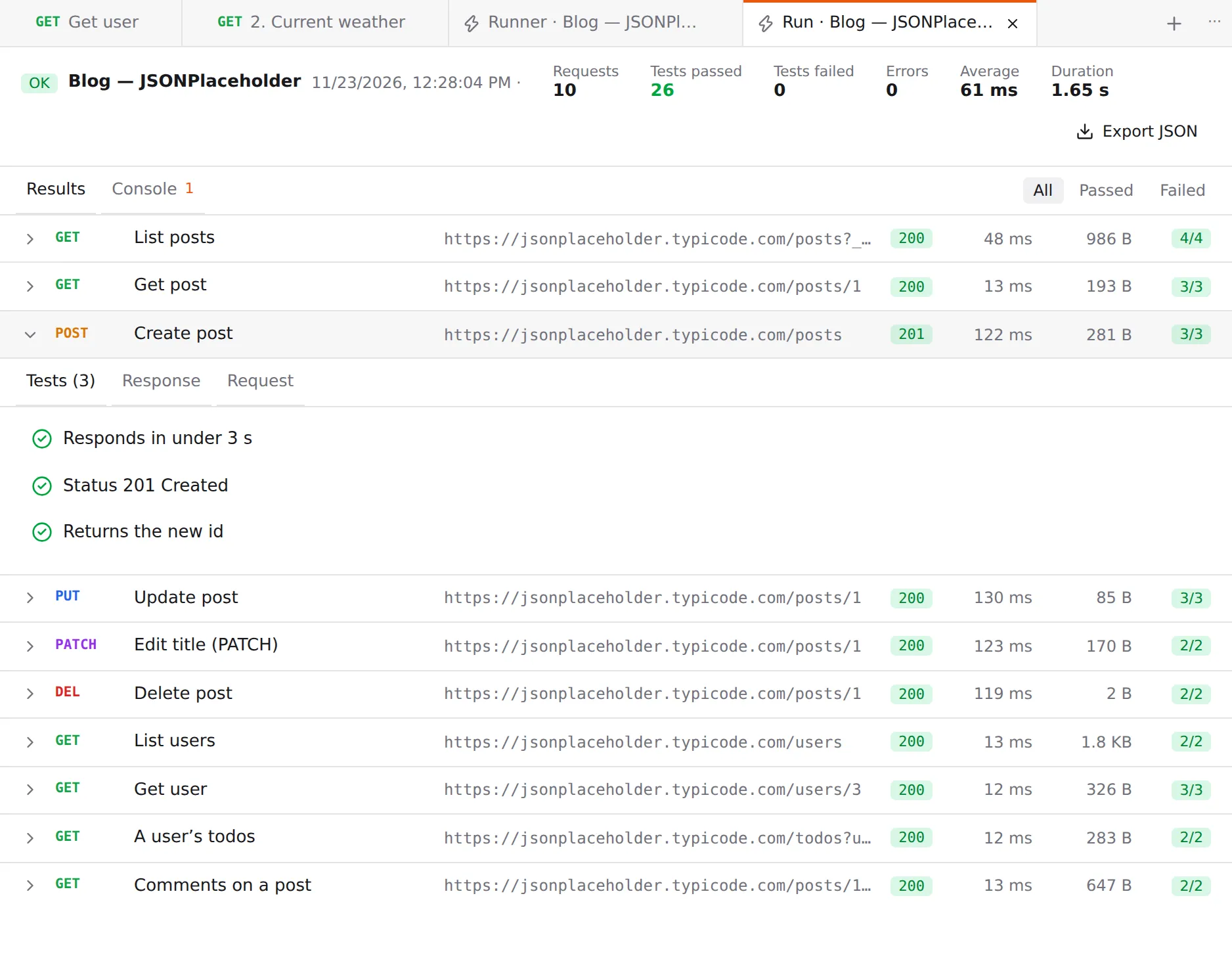
Run a collection or folder with data from a CSV, watch every request and test as it arrives, and keep a history of every run.
- Data-driven testing
- Stop on first failure
- Export the report as JSON
Mocks
Your API, before it exists.
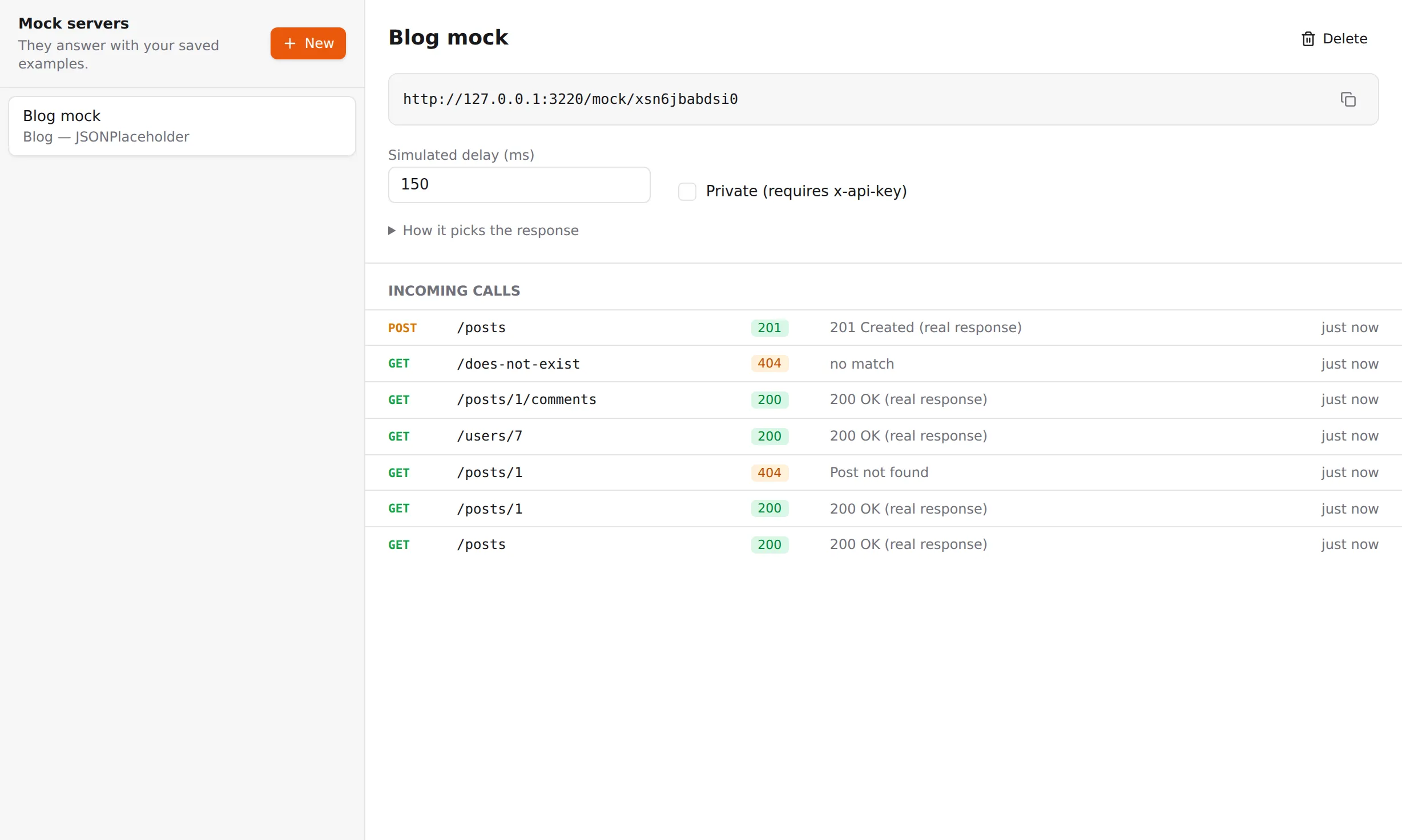
A mock server that answers with your requests’ saved examples. Perfect so the frontend doesn’t wait for the backend, or for demos that never touch production.
- Pick an example with x-mock-response-code
- Dynamic variables: {{$randomEmail}}
- Call log and simulated latency
Monitors
Know before your users do.
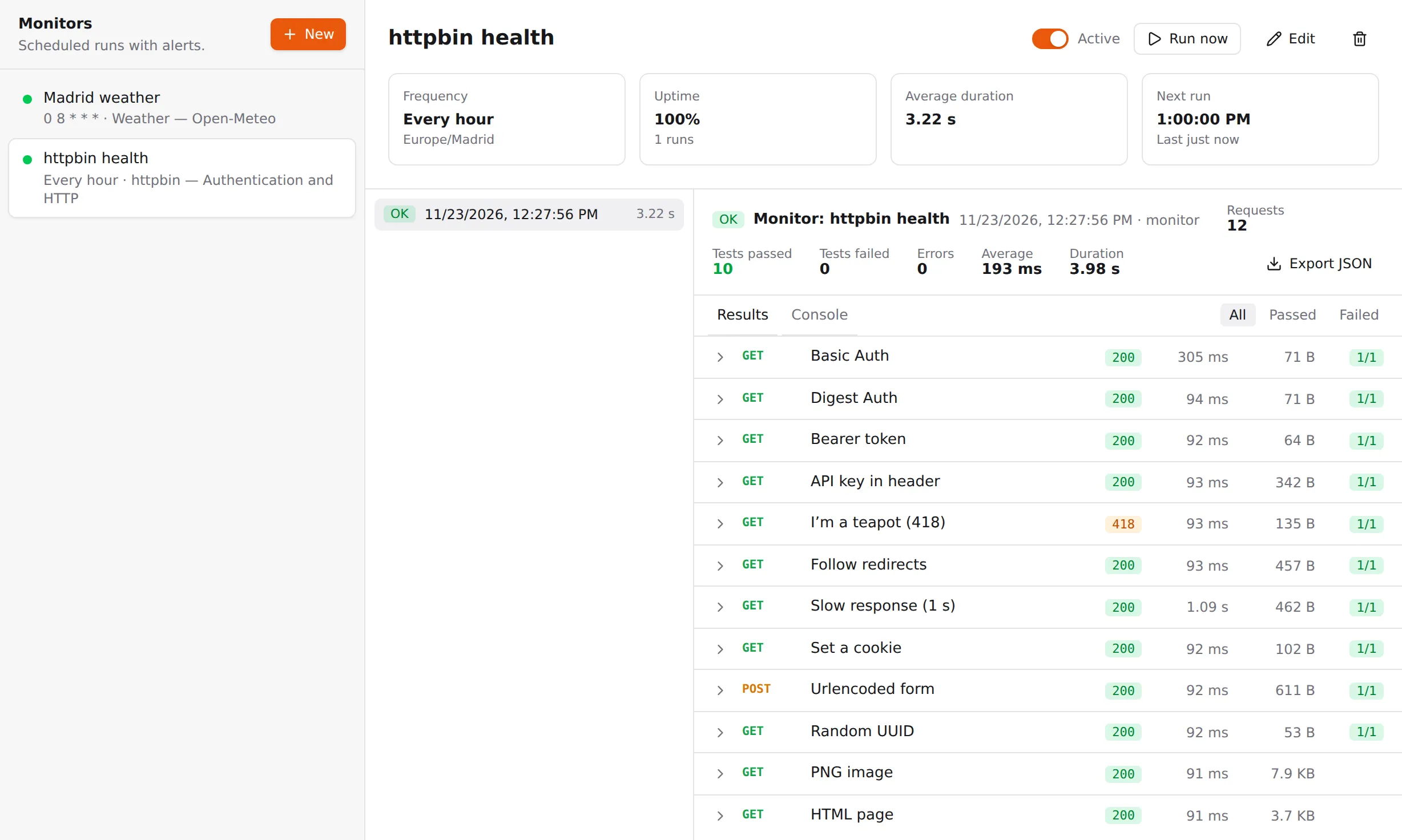
Schedule your collections with cron and get alerted when something breaks. Uptime, timings and the details of every run.
- Every 5 minutes or any cron
- Slack, Discord, Telegram, email and webhook
- Per-monitor time zone
Teams
Real collaboration, on your server.
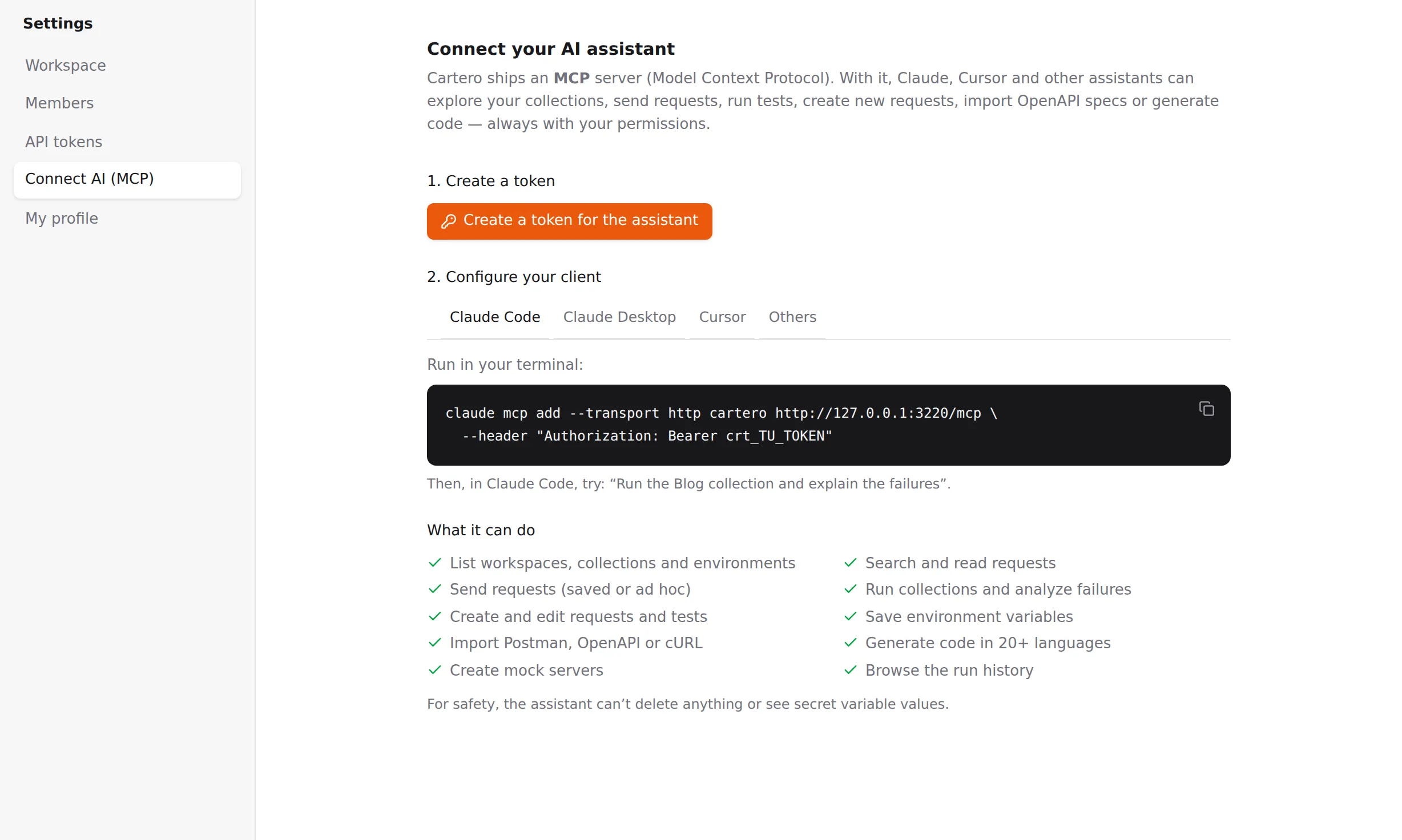
See who is online and which request they have open, comment, review the change history and restore any version. Conflicts are detected on save.
- Viewer, editor, admin and owner
- Live presence and updates
- Fork, merge and restore
Docs
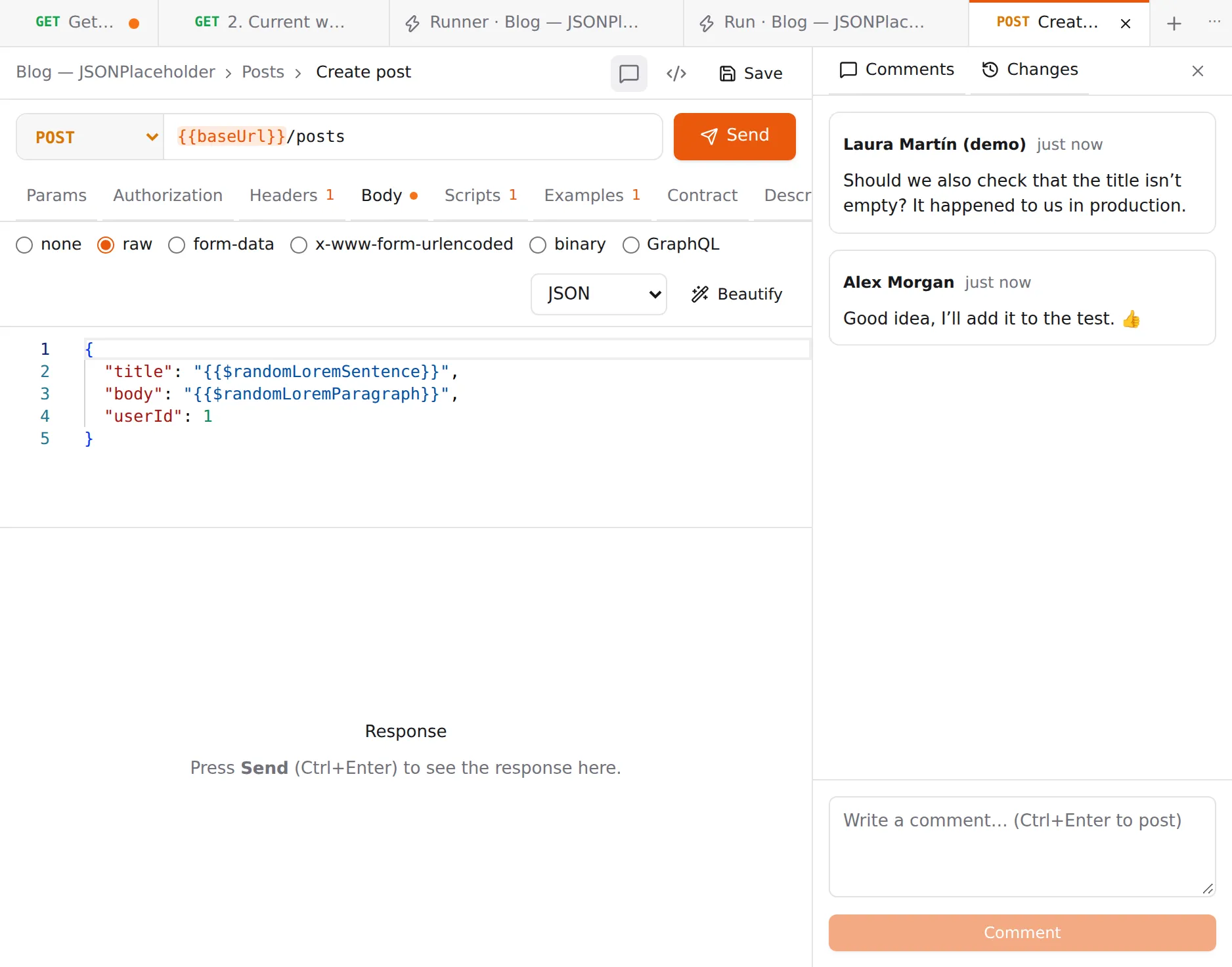
Publish documentation in one click.
Every collection becomes a public page with Markdown descriptions, response examples and copy-ready cURL. Password-protected if you want.
- Navigable index
- Secrets and credentials hidden
- Environment variables resolved
AI · MCP
Your AI assistant already knows your APIs
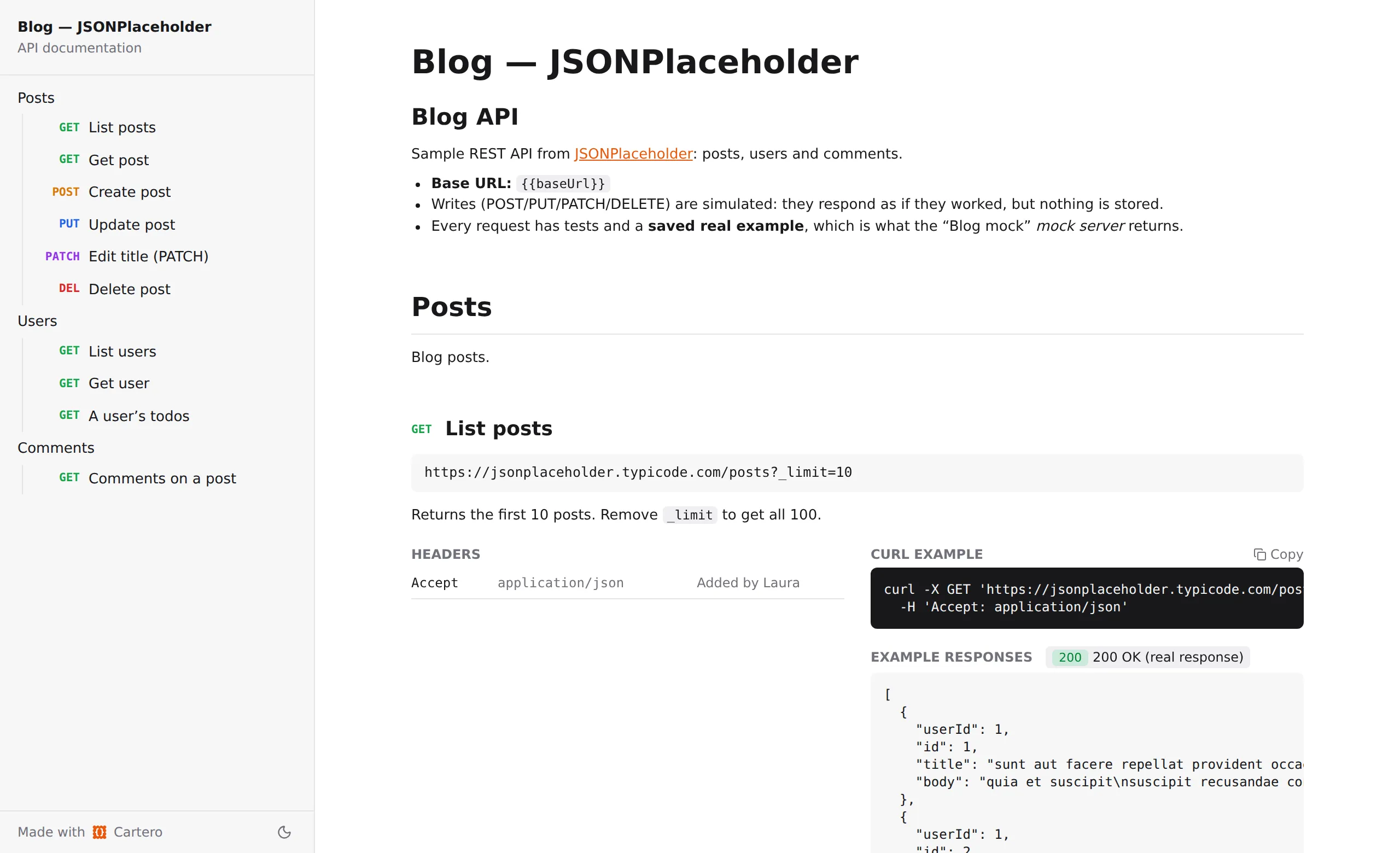
Cartero ships an MCP server. Connect Claude, Cursor or any compatible client and ask it to test your API, explain failures, create requests with tests or import an OpenAPI spec.
With your permissions. Never deletes. Never sees your secrets.
claude mcp add --transport http cartero \
  https://cartero.example.com/mcp \
  --header "Authorization: Bearer crt_…"
Seriously fast
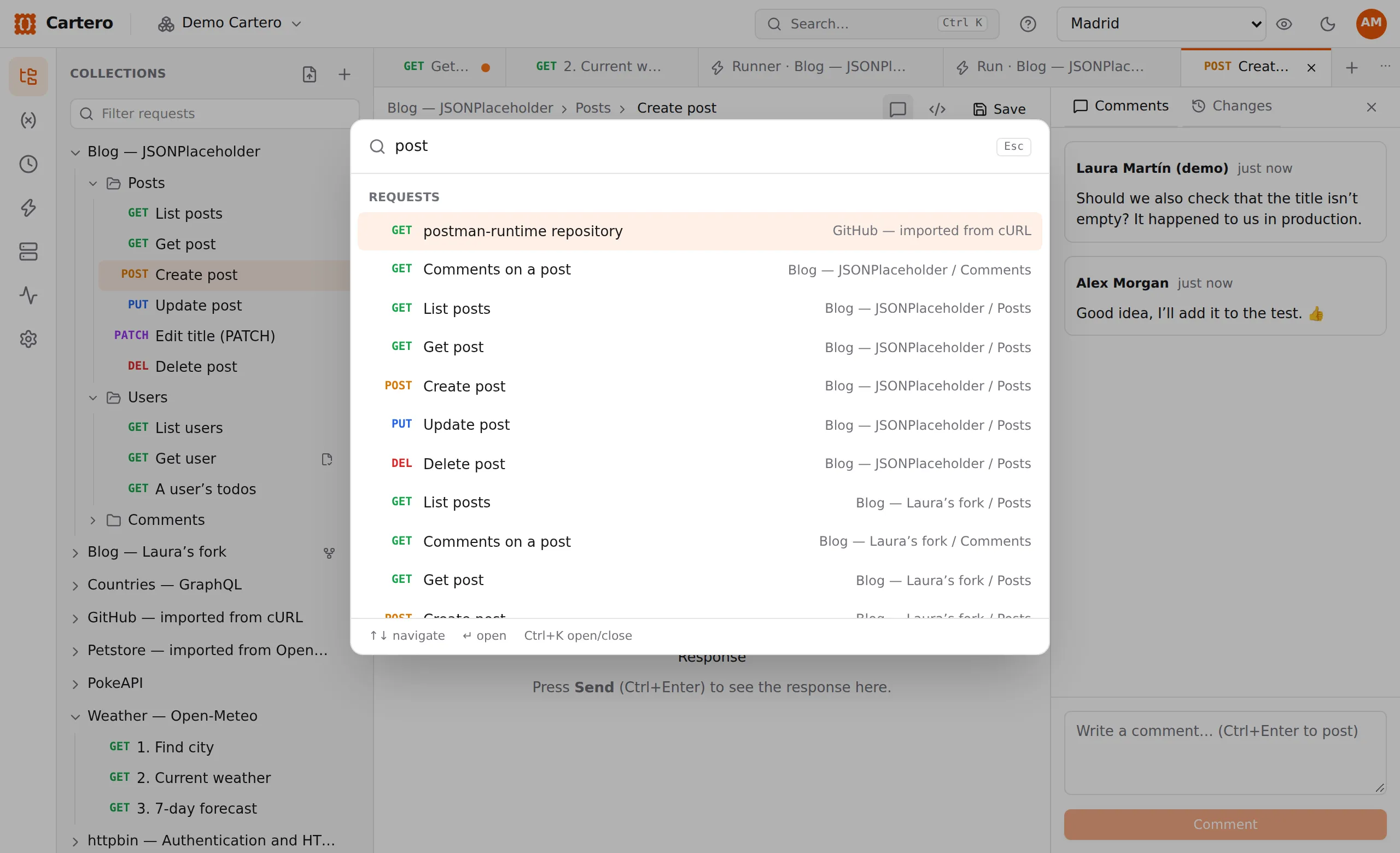
Ctrl+K finds any request, environment or action. Shortcuts for everything, light and dark themes, and a guided tour on first launch.
Install
On your server in a minute
Docker Compose with PostgreSQL and Redis. Runs on a VPS, in your homelab or behind Tailscale.
git clone https://github.com/elrincondeisma/cartero.git cartero && cd cartero
cp .env.example .env    # CARTERO_SECRET_KEY=$(openssl rand -base64 32)
docker compose up -d
Open http://localhost:3000 and a wizard walks you through it step by step: admin account, who can sign up, Google and GitHub, email and security. After that, everything is changed from the admin panel.
Rather use AWS?
A wizard deploys it to your account with CDK, step by step. You pick ECS Fargate or an EC2 instance, and for each piece (VPC, database, Redis, domain) whether to reuse yours or let it create one. It shows you the cost before creating anything: from about $22 a month.
AWS guide$ pnpm install && pnpm deploy:awsDesktop
Also as a native app
An app for macOS, Windows and Linux written in Rust. It works on its own: your collections live on your computer and requests leave from your machine, so they reach your localhost and your VPN. If you want, it syncs your workspaces with your Cartero server.
Free and open source, like the rest of Cartero. Signed and notarized by Apple on macOS. All releases
CLI
Your API tests, on every push
The same collection you use in the app, in your CI. Exits with code 1 when something fails and writes JUnit reports GitHub, GitLab and Jenkins understand.
- name: API tests
  run: npx @cartero/cli run $COLLECTION_ID -e $ENV_ID -r cli,junit --report
  env:
    CARTERO_SERVER: https://cartero.example.com
CARTERO_TOKEN: ${{ secrets.CARTERO_TOKEN }}Truly open source
MIT licensed. No locked features, no telemetry, no artificial limits. Read it, change it, contribute.
Built with
Frequently asked questions
Will my Postman collections and scripts work?
Yes. Cartero imports v1, v2.0 and v2.1 collections, environments, globals and the data-export ZIP, and runs scripts with postman-runtime — the same engine Postman uses.
Is it really free?
Yes: it’s MIT-licensed open source that you install on your own server. No plans, no limits on runs, mocks, monitors or members.
Why are requests sent from the server?
No CORS issues, every auth method and certificate works, and you can test APIs on your internal network. On public instances you can block private networks.
Do I need a cloud account?
No. Everything lives in your PostgreSQL. Nothing leaves your server except the requests you send.
Can I use it with my team?
Yes: shared workspaces, roles, invitations, real-time presence, comments and change history.
Is it hard to install?
No. One docker compose up and, the first time you open it, a wizard guides you: you create the admin account and choose who can sign up, Google or GitHub sign-in, email and security. Everything can be changed later from the admin panel.
Can I deploy it on AWS?
Yes. pnpm deploy:aws starts a wizard that deploys it to your account with CDK, on ECS Fargate or an EC2 instance, reusing your VPC, RDS, Redis or domain if you want. After that it updates from Cartero itself, just like with Docker.
How do I update it?
From Administration → System, with one button, or automatically every night if you turn it on. Cartero tells you when a new version is out, and migrations run on startup.
Can people sign in with Google or GitHub?
Yes. The admin pastes the OAuth credentials into the panel and turns each provider on. They can also close sign-up or limit it to their company’s email domains.
Is there a desktop app?
Yes, for macOS, Windows and Linux. It works without a server, with your data on your computer, and can sync with your Cartero instance.
Is the app available in English?
Yes. The interface, the user guide and the sample data come in English and Spanish, with a language switcher in the app; your choice is saved to your account.
Stop paying to test your APIs
Install it today, import your collections and keep working the way you always have.
Get started